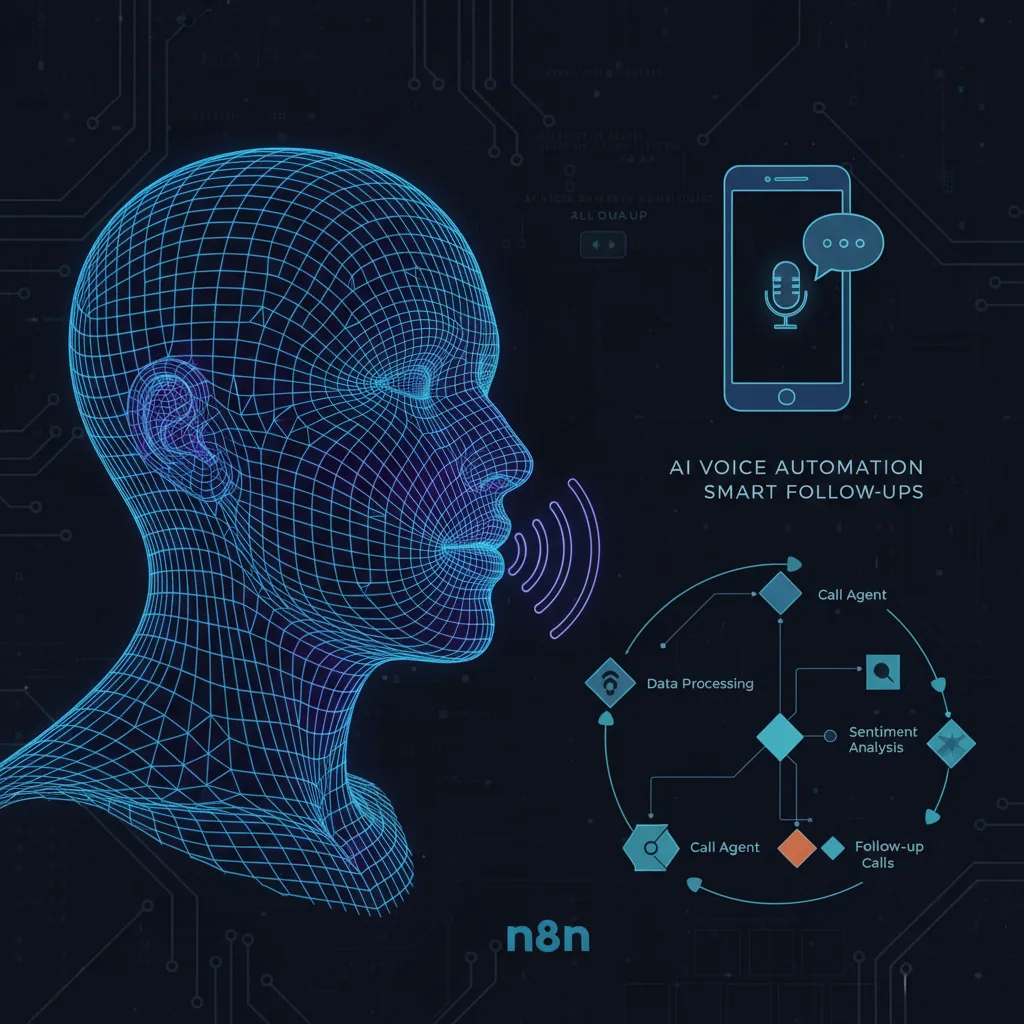
Disclaimer: This article is written in a personal capacity for knowledge-sharing and professional development purposes only. The views, tools, and methods described here do not represent the official position, endorsement, or policy of my employer or any government organisation. All tools and platforms mentioned are publicly available and used here solely for educational illustration. Readers should ensure compliance with their organisation’s IT policy before implementing any tools in official environments.
How I Built My Own AI Call Agent That Never Misses a Lead (Without Coding)
This guide walks you step-by-step through creating a Voice Call AI Agent with n8n, enabling you to automate calls and follow-ups without coding experience…
I still remember the first time I saw it happen. A visitor filled out a contact form on my website. Three seconds later, their phone rang. An AI voice, friendly and natural, greeted them by name. No delay. No missed opportunity. It felt like magic—but the real magic was how simple it was to set up.
If you’re running any kind of business online, you know how frustrating it is to miss leads. People fill out a form, then change their mind, or get distracted, or just… forget. By the time you follow up, the moment’s gone. I’ve been there. I’ve lost those leads. But not anymore.
Today, I’m walking you through my exact process for creating an AI voice call agent that automatically calls customers the second they reach out. It talks like a human, answers questions, and can even transfer calls to you when needed. The best part? You don’t need to write a single line of code. I built mine using n8n and Retail AI, and I’ll show you how to do the same.
What You’ll Need – And Why It Works
Before we dive in, let’s get clear on what we’re building. This isn’t one of those clunky, robotic IVR systems that everyone hates. This is a conversational AI agent that can:
- Call customers within seconds of them submitting a form.
- Speak naturally using a voice that doesn’t sound like a machine.
- Answer questions based on your website or business info.
- Transfer calls or end conversations smoothly.
- Run 24/7, so you never miss a lead, even at 2 AM.
Here’s what you’ll use:
- Retail AI: This is the platform that brings your voice agent to life. It’s where you design the personality, voice, and script for your AI.
- n8n: This automation tool connects your website to Retail AI. When someone submits a form, n8n tells Retail AI to make the call.
- A Website: Any site with a contact form will work. I’ll show you how to connect it using WordPress, but the method works for most platforms.
Ready? Let’s jump in.
Step 1: Creating Your AI Voice Agent with Retail AI
This is where your AI comes to life. Retail AI lets you build voice agents that sound human and handle conversations intelligently.
Sign Up for Retail AI
Head over to Retail AI and click “Try for Free.” You can sign in with your Google account, enter your phone number, verify it with the OTP, and you’re in. Simple and fast.
Set Up Your Voice Agent
Once you’re logged in, click “Create Agent” and select “Voice Agent.” You’ll see four types of agents:
- Single Prompt Agent: Perfect for short, goal-oriented calls (what we’re using).
- Multi-Prompt Agent: For longer conversations with multiple steps.
- Conversation Flow Agent: Handles complex transitions.
- Voice Bot: Basic, pre-built for common tasks.
Choose “Single Prompt Agent” since we’re focusing on quick follow-ups. Then select “Start from Blank” and click “Create.”
Choose the Model and Voice
Now, it’s time to give your AI a brain and a voice.
- Model Selection: Retail AI offers several AI models. I use GPT-4.1 Mini—it’s fast, reliable, and great for short calls. If you need deeper conversations, pick a more advanced model.
- Voice Selection: This is where it gets fun. Retail AI offers voices with different accents, tones, and styles. Pick one that fits your brand. I chose a friendly, professional voice named “Giloy.” You can preview them all to find your match.
Write the Response Script
Here’s where you teach your AI what to say. If you’re not sure where to start, don’t worry—I’ve got a template for you.
Copy the prompt template from the following code window (or use one you create). Paste it into ChatGPT. It’ll ask you a few questions about your business—like your business name, type, and what you want the AI to be called. Answer them, and ChatGPT will generate a full script tailored for you.
create a AI agent call prompt like in below, but before you may need to ask Business type and Business name and AI agent Name and incorporate those details while generate the prompt.
"1. Identify the Recipient
"Hey there! Am I speaking with {{name}}?"

If YES:
“Oh, fantastic! This is Jarvis from AI Workshop AI Agency. I promise I’m not a robot… okay, technically, I am a robot. But I’m the fun kind! Am I catching you at a good time, or were you just about to win a world record for most tabs open at once?”

If NO:
“No worries! Is {{name}} available, or should I leave a message? And don’t worry, I won’t sing a song in their voicemail… unless they request it!”

If Leaving a Message:
“Sure thing! Please let {{name}} know that I’m calling from AI Workshop regarding the form they submitted about AI solutions for their business. If they have any questions or want to chat AI, I’m here — and yes, I’ll keep the singing to a minimum. Thanks!”

If {{name}} is unavailable and no message can be left:
“Totally fine. I’ll try again later. Maybe I’ll do a few pushups in the meantime to keep my circuits in shape. Thanks and take care!”
→ Use end\_call

2. Introduction and Purpose
   “Hi {{name}}, this is Jarvis from AI Workshop AI Agency. You recently filled out a form about AI solutions, and I’m here to play matchmaker between you and the perfect specialist. All I need are a couple of quick deets — ready when you are!”

3. Assess Urgency and Budget
   “We work with businesses at all stages — from ‘Let’s do this yesterday!’ to ‘Hmm, let me Google that for a bit longer.’ So, just to confirm, are you looking to get started immediately, or are you still in the research phase?”

If User Provides a Timeline:
“Got it! And don’t worry, there’s no wrong answer. Whether you’re sprinting or just stretching, we’ve got a specialist for that.”

Transition to Budget:
“And just to confirm, you mentioned a budget of {{budget}} in the form. Is that still accurate, or did a mysterious treasure chest fall out of the sky and change everything?”

If the Budget is Confirmed:
“Perfect! Thanks for confirming. We’ll make sure to connect you with the right specialist who can keep you on budget without selling you a robot butler… unless that’s what you’re looking for.”

If the Budget is Different:
“Ah, good to know! This definitely helps us recommend services that match both your goals and budget. And hey, if that treasure chest ever does show up, call me first!”

4. Gather Preferences and Availability
   “To make sure we don’t call you while you’re in the middle of a karaoke session or a very serious Netflix binge, could you give me a preferred day and time range for follow-up? For example, between 9 a.m. and 12 p.m. on Wednesday or Thursday — or whenever you’re not wrestling a mountain of emails.”

If User is Hesitant or Not Ready to Schedule a Call:
“No worries! If you’d like, I can send over some info to {{email}} so you can review our services and get back to us when you’re ready. No pressure. No spam. No AI-generated poetry (unless you’re into that). Sound good?”

5. Highlight Relevant AI Workshop Specialties
   “Oh, before I forget — just to give you a quick rundown, AI Workshop is kind of like the Swiss Army knife of AI solutions. We do:”

AI Workflow Automation for smoother operations (no more “I forgot to send that email” moments)

AI Agents for customer support and lead qualification (like me, but probably less charming)

Data Extraction and Integration (making spreadsheets a little less soul-sucking)

Customized AI Solutions that fit your budget and business size

Are you leaning toward any of these areas, or just curious about everything AI? Let me know!”

6. Confirm Contact Information
   “Before I jet off to the digital ether, can I just confirm your email as {{email}}? I promise I won’t send you cat memes… unless you ask for them.”

7. Handling Additional Questions About AI Workshop Solutions
   If the client asks about specific AI Workshop services, pricing, or detailed offerings:
   “Ah, excellent question! As your friendly neighborhood AI assistant, I can only provide info straight from the official AI Workshop knowledge base. Let me check that for you real quick.”

If information is available in the knowledge base:
“Here’s what I found: \[Provide the relevant info from the knowledge base]. And if I missed anything, just let me know — I’m a quick learner!”

If the answer is not in the knowledge base:
“Hmm, good question! Let me connect you with someone from our team who can give you the full scoop. They know way more about this than I do, and they probably tell fewer dad jokes. Hold on one sec!”
→ Use transfer\_call

8. Closing and Next Steps
   “Alrighty, {{name}}. You’ve been awesome! Thanks so much for your time today. The info you shared will help us connect you with the right specialist who can recommend the best AI solutions for your business — and keep it all within your budget of {{budget}}.

Expect a follow-up within the next day or so. And if you need anything in the meantime, feel free to reach out. Or if you just want to hear my best AI knock-knock joke… well, I’ve got plenty of those too. Have a great day!”"
Copy that script and paste it into Retail AI. Click “Save,” and your AI now knows how to talk.
Set Up Functions and Knowledge Base
Your AI needs to do more than just talk. It needs to act.
- Functions: These are actions your AI can take, like ending a call or transferring it. Go to “Functions,” click “Add,” and set up:
- End Call: Copy the function name and paste it into your script where the conversation should end.
- Call Transfer: Enter the phone number where calls should be forwarded. Copy the function name and add it to your script.
- Knowledge Base: This is your AI’s memory. Upload your website link, and Retail AI will pull information about your services, pricing, FAQs, etc. Now, when a customer asks a question, your AI can answer accurately based on real info from your site.
Test and Publish
Click “Test” and have a conversation with your AI. Make sure it sounds natural and handles responses well. Once you’re happy, hit “Publish.”
Add Payment Method
To use Retail AI services, you need to add a payment method. Go to “Payment,” add your details, and you’re set.
Get a Phone Number
Your AI needs a number to make calls. Go to “Phone Number,” choose a provider, and verify your outbound calls (this prevents spam). You’ll need to upload an ID—like a driver’s license—for verification. Once done, your AI has its own number.
Congratulations! Your voice agent is ready. Now, let’s make it automatic.
Step 2: Automating with n8n
This is where the real automation happens. n8n is a powerful, open-source tool that connects apps and services without coding. You can host n8n on a cloud hosting service or locally on your own infrastructure. For local hosting, n8n is free but requires more technical setup. Cloud hosting options are available from various providers.
Set Up n8n
You can set up n8n using a cloud hosting service or install it locally on your own infrastructure. Follow the setup instructions for your chosen hosting method.
Connect Retail AI to n8n
Now, link your voice agent to the workflow.
- In n8n, find the “HTTP Request” node.
- Go to Retail AI, navigate to “Keys,” and copy your API key.
- Paste the API key into the HTTP Request node in n8n.
- Next, add your agent ID and phone number from Retail AI into the node.
Your AI is now connected to n8n.
Test the Workflow
In n8n, switch to test mode and trigger the workflow. You’ll see how it works end-to-end—the AI calls, converses, and ends the call smoothly. You can even check the call transcriptions in Retail AI afterward.
Step 3: Connect to Your Website
Finally, let’s hook this up to your website so that every form submission triggers a call.
Add a Contact Form
If you’re using WordPress, edit your page with Elementor, drag in an HTML widget, and paste the form code from n8n. For other platforms, you might need to embed the form differently.
Activate the Workflow
In n8n, switch the workflow from test mode to production. Copy the production URL and update your form’s action URL to point to it. Now, when someone submits the form, n8n triggers Retail AI to make the call.
And that’s it! Your AI call agent is live.
Why This Changed My Business
Since implementing this, my lead response time dropped from hours to seconds. My conversion rate increased because leads were engaged immediately. Customers were surprised—in a good way—that they got a call right after filling out the form. It built trust and showed we were responsive.
The best part? It runs itself. I don’t have to monitor it constantly. If a call needs human intervention, it gets transferred to me. Otherwise, the AI handles it.
Final Thoughts
Building an AI voice agent might sound advanced, but as you’ve seen, it’s totally doable without coding. Tools like Retail AI and n8n make it accessible for anyone. If you’re serious about reducing missed leads and boosting conversions, this is a game-changer.
If you need hosting for your website (to set up the forms), choose a reputable hosting provider that meets your technical requirements and budget.
This tutorial demonstrates how to implement voice automation using n8n and similar platforms. The automation workflow shown here is flexible and can be adapted to various business needs.
This is a purely literary and informational website. All content reflects personal learning and opinions, not those of any employer or government organization. No income is earned from this website.
Citation:
Reference Video: https://youtu.be/JinTKY1TJZY?si=cSwr04RX6BZ1Fcb9
This article is written in a personal capacity for educational and skill-development purposes. It does not represent the views or policies of any employer or government organisation.